Favourites are Sommly's "come back to this later" button. Tap the heart icon on any event, venue, or business and it saves to your list.
How to save something
Every event card, venue card, and business page has a heart icon at the top right. Tap it once to save, tap it again to unfavourite. If you are not signed in, you will be nudged to log in first (we keep your save in the background and apply it once you are).
Reviewing your list
Visit My Favourites for everything you have saved, grouped by businesses and venues.
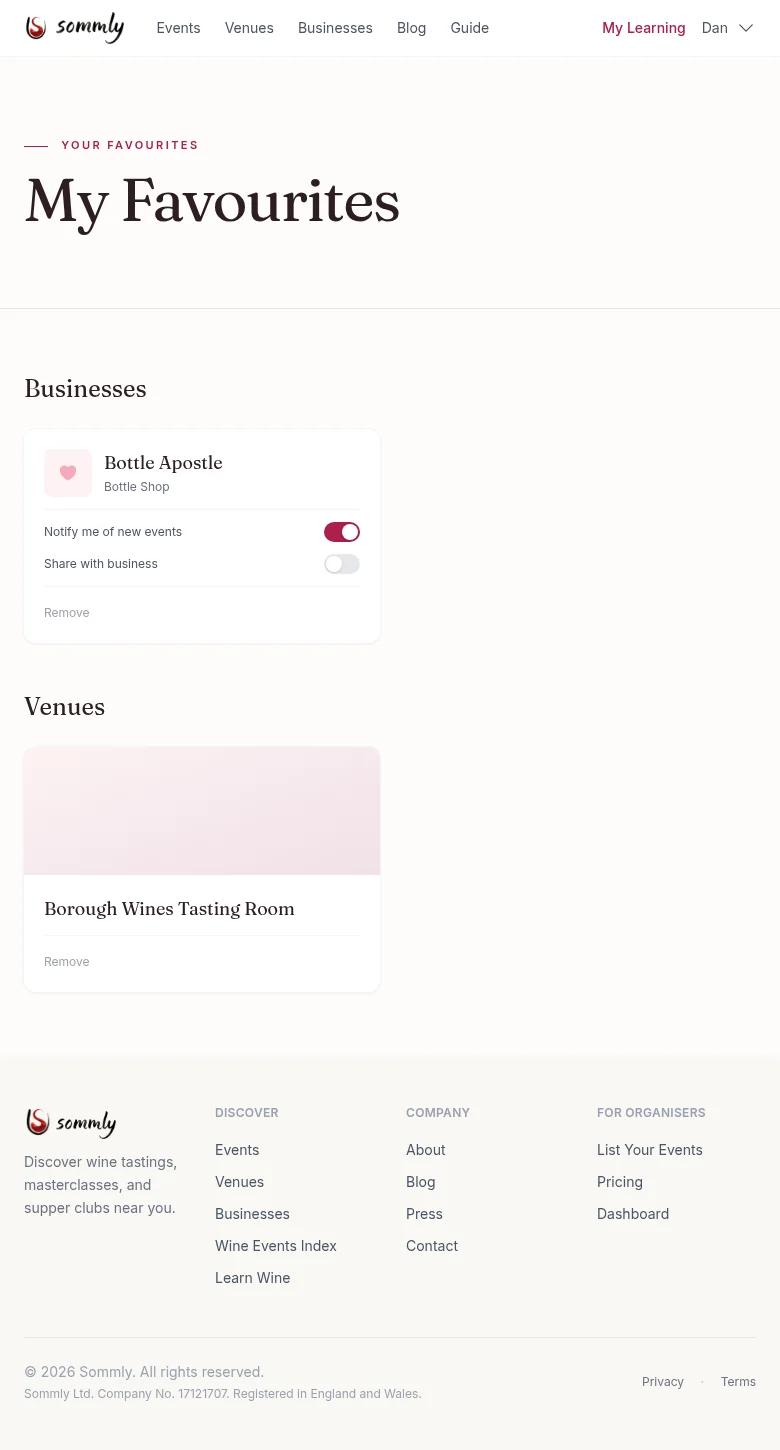
Notification toggles
Each favourited business has two switches:
- Notify me of new events. When this business publishes a new event, we include it in your weekly digest.
- Share with business. Lets the business see that you have favourited them. Useful if you want to hear about member-only events. You control this per business.
Tip
Only seeing events from a handful of places? Favourite a few independent wine bars, bottle shops, and importers. Your weekly email will quickly get more interesting.
Removing a favourite
Hit Remove on the card, or tap the heart icon again on the business or venue page. The item disappears from your list straight away.