The Reviews page in your dashboard is where you read what customers have said, reply to them, and grab the share-links you can use to ask for more.
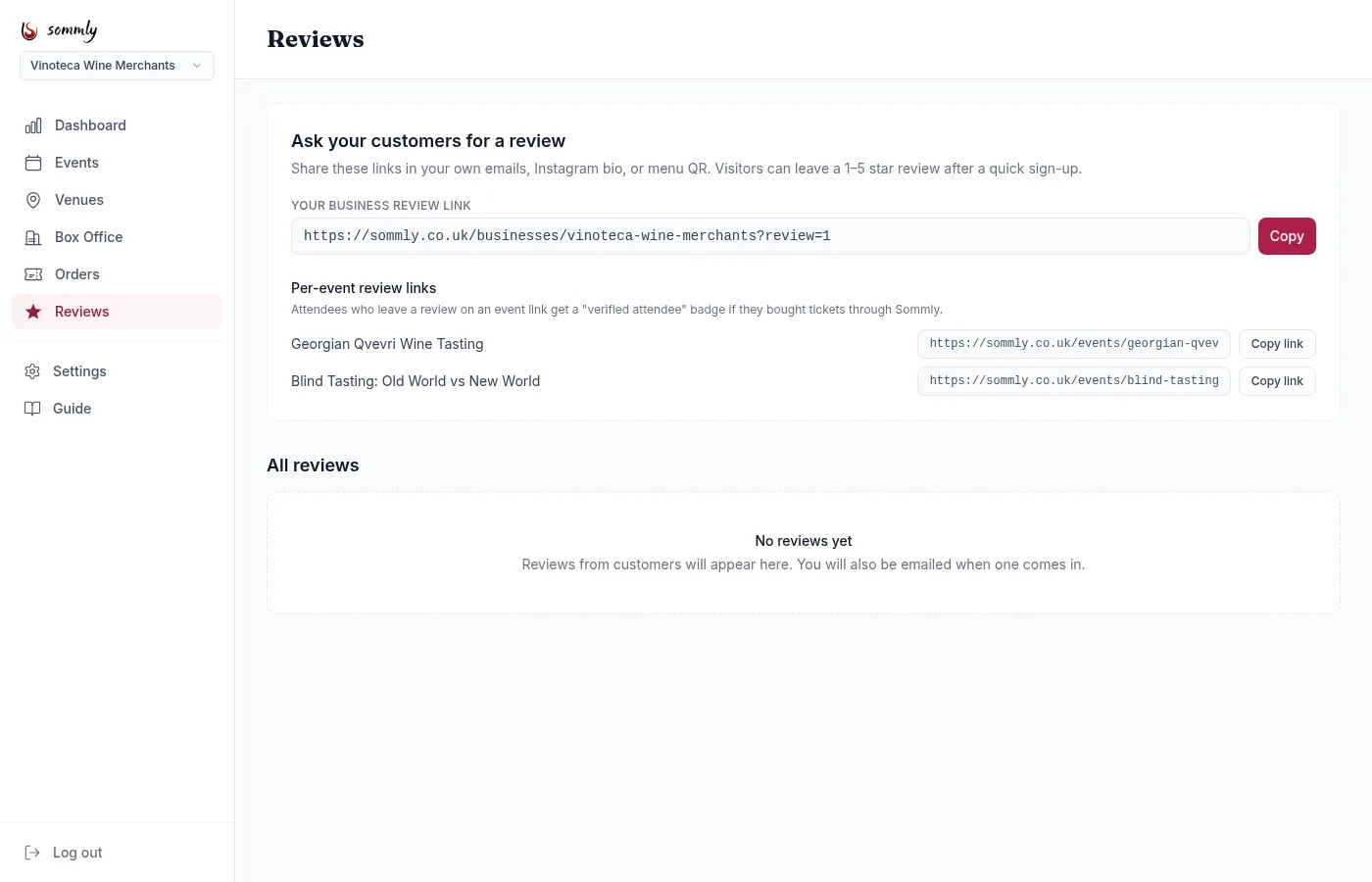
Asking customers for a review
The hardest part of reviews is asking. The top of the Reviews page gives you ready-to-share links:
- Business review link. Drops visitors on your public Sommly page with the review panel pre-opened. Paste this in follow-up emails, Instagram bio, or a menu QR code.
- Per-event review links. Same idea but scoped to a single event. Attendees who review via this link and who bought through Sommly get a verified attendee badge.
Each link has a one-tap Copy or Copy link button.
Tip
Replying to a review
Every review has a Reply button. You can post one public reply per review. Keep it short, acknowledge the reviewer, and speak to anything specific they raised. A polite reply on a critical review does more good than a defensive paragraph.
You can also edit or remove your own reply later. The reviewer's original stars and words stay put.
Hiding a review
If a review is abusive, fake, or clearly from a competitor, you can hide it from your public page while the Sommly team takes a look. Hit Hide on the review. The reviewer can still see it on their own profile; visitors on your public page cannot.
You can unhide at any time if you change your mind. Hiding is a business-owner action and does not automatically notify Sommly; for genuinely abusive content, email [email protected] and we will look into the reviewer.
Note
New-review notifications
You are emailed automatically when a new review is posted on any of your events or on your business profile. The email contains the rating, the written text, and a link into the dashboard to reply.